

n8n-nodes-puppeteer
Browser automation node for n8n workflow automation
Tech Stack
Features
- Get Page Content - Extract HTML, text, or JSON from web pages
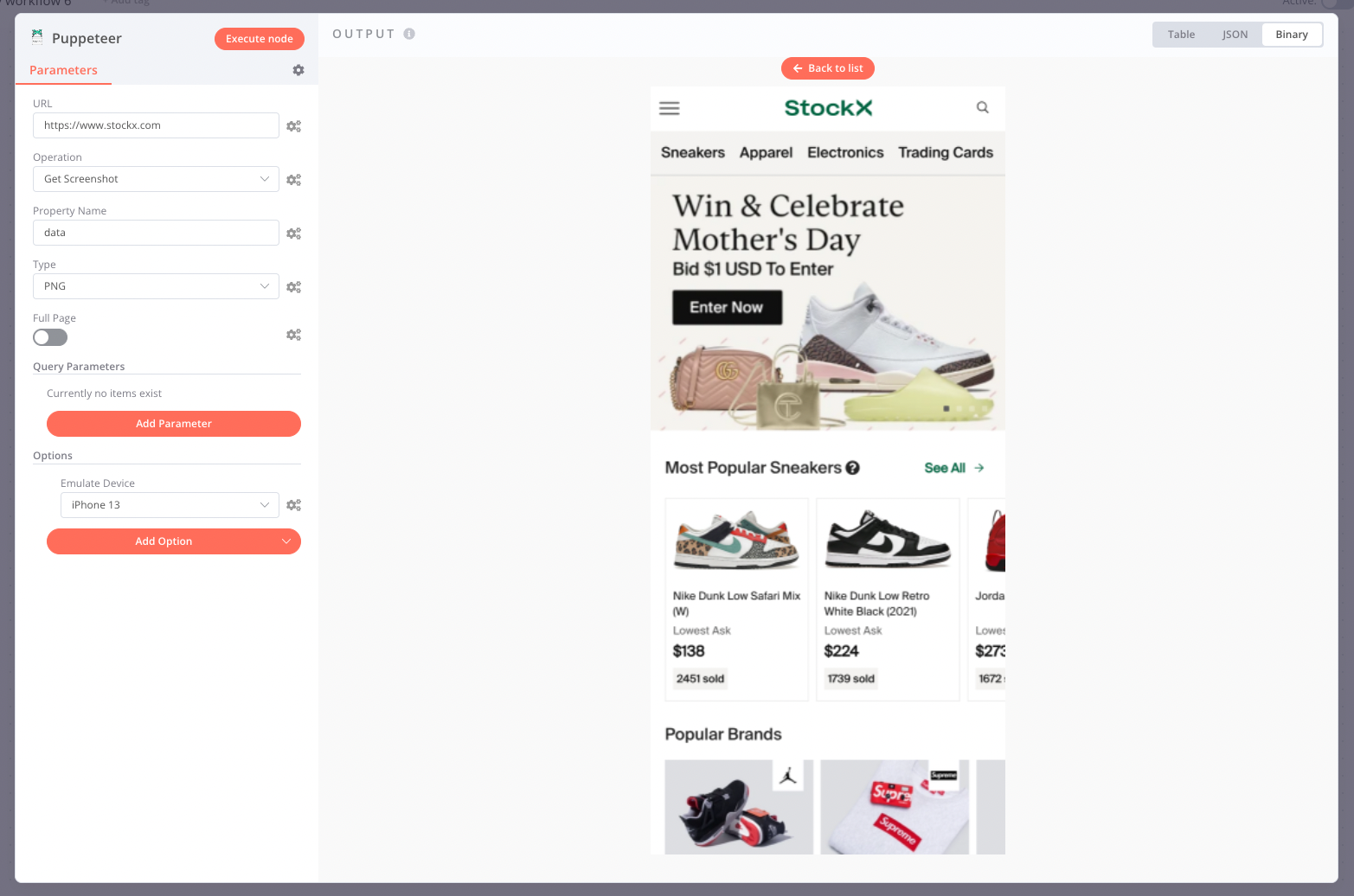
- Get Screenshot - Capture full page or element screenshots
- Get PDF - Generate PDFs with customizable options
- Run Custom Script - Execute arbitrary Puppeteer scripts
- AI Agent integration for intelligent automation
- Stealth mode for anti-detection
- Remote browser support via WebSocket
- Docker deployment ready
About n8n-nodes-puppeteer
This n8n community node lets you automate browser tasks directly in your n8n workflows. Whether you need to scrape data, generate PDFs, take screenshots, or run custom browser automation scripts, this node has you covered.
Operations
Get Page Content
Navigate to any URL and extract its content as HTML, plain text, or parsed JSON. Perfect for web scraping and data extraction workflows.
Get Screenshot
Capture screenshots of entire pages or specific elements. Supports various formats (PNG, JPEG, WebP) and quality settings.
Get PDF
Generate PDF documents from web pages with extensive customization options including paper size, margins, headers/footers, and more.
Run Custom Script
For advanced use cases, execute arbitrary Puppeteer scripts with full access to the browser context. Special variables like $page, $browser, and $puppeteer are available.
AI Agent Integration
This node supports n8n's AI agent capabilities, allowing you to:
- Let AI agents browse the web autonomously
- Extract and process information intelligently
- Build sophisticated automation workflows with
$fromAI()support
Installation
Install via Community Nodes in n8n (v0.187+):
- Go to Settings > Community Nodes
- Search for
n8n-nodes-puppeteer - Click Install
Or use Docker - see the documentation for details.