


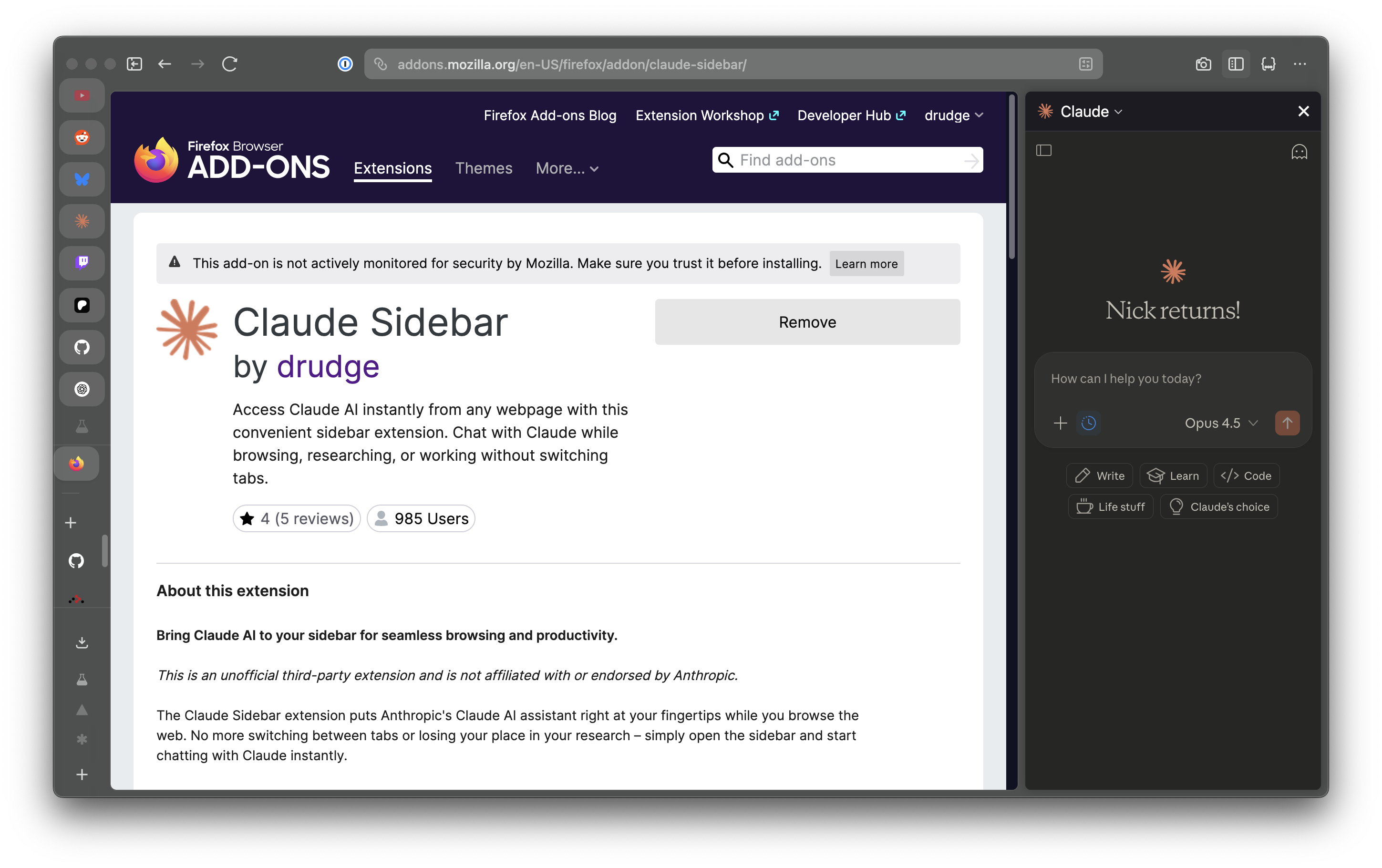
Claude Sidebar for Firefox
Access Claude AI instantly from any webpage without switching tabs
Tech Stack
JavaScriptHTMLWebExtension API
Features
- Sidebar access to Claude without interrupting browsing
- One-click activation or keyboard shortcut
- Full access to Claude's capabilities
- Works with Firefox 58+ and Zen Browser
About Claude Sidebar
Claude Sidebar is an unofficial third-party extension that puts Anthropic's Claude AI assistant right at your fingertips while you browse the web. No more switching between tabs or losing your place in your research - simply open the sidebar and start chatting with Claude instantly.
Why Use Claude Sidebar?
- Stay in Context: Keep your current webpage visible while chatting with Claude
- Quick Access: One click or keyboard shortcut to open the sidebar
- Full Featured: Access all of Claude's capabilities without leaving your browser
- Lightweight: Minimal permissions required (storage only)
- Privacy Focused: No data collection - the extension never tracks or stores your browsing activity
Perfect For
- Researchers gathering information across multiple sources
- Writers looking for inspiration or feedback
- Students studying and taking notes
- Developers debugging code or exploring documentation
- Anyone who uses Claude regularly while browsing
Privacy & Permissions
Claude Sidebar is designed with privacy in mind:
- No Data Collection: The extension does not collect, track, or store any of your browsing data
- Minimal Permissions: Only requests storage permission to save your preferences
- Open Source: Licensed under Mozilla Public License 2.0 - review the code yourself on GitHub
Getting Started
- Install the extension from Firefox Add-ons
- Click the extension icon or use the keyboard shortcut
- Sign in to your Claude account
- Start chatting!
The extension also works with Zen Browser and other Firefox-based browsers.